
WAR ROOM
When the alarm triggers, this is your command screen.
A single screen for the fire security head during an active event. See the exact location of fire on the site map. Communicate with your team. Analyze the situation. All from one place.
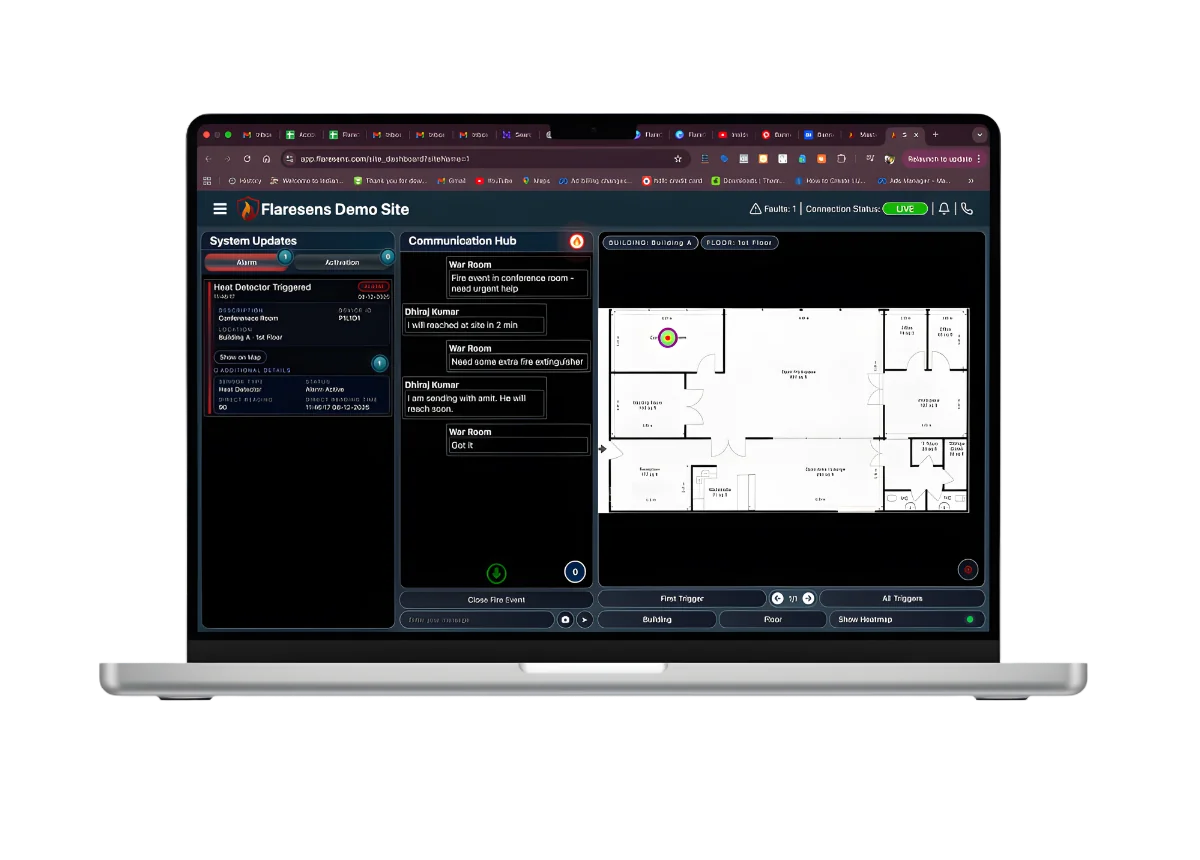
GRAPHICAL FIRE LOCATION
Every tower. Every floor. One screen.
Interactive floor maps show the exact location of every triggered device — not "Zone 3" but "Heat Detector HD-114, Conference Room B, 1st Floor." Watch the fire spread pattern evolve in real time as multiple devices alarm across floors and buildings. Every tower, every floor, unified on a single command screen.
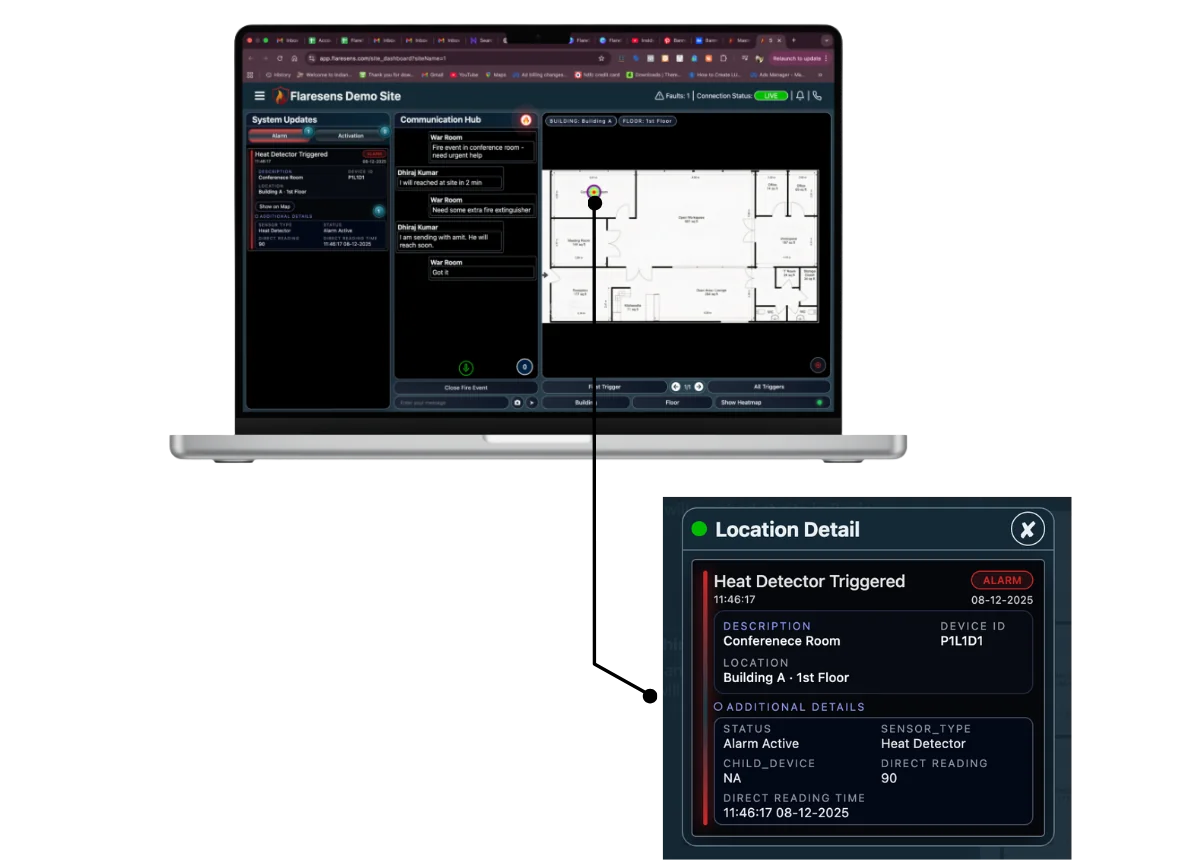
REAL-TIME ACTIVATIONS
Fire curtains. Lifts. Smoke fans. See every activation in real time.
During a fire event, see every control module activation as it happens. Fire curtains deployed? Lifts recalled? Escalators stopped? Smoke extraction fans running? The Fire Event Window shows exactly which third-party systems activated — so you know what’s working and what needs manual intervention, in real time.
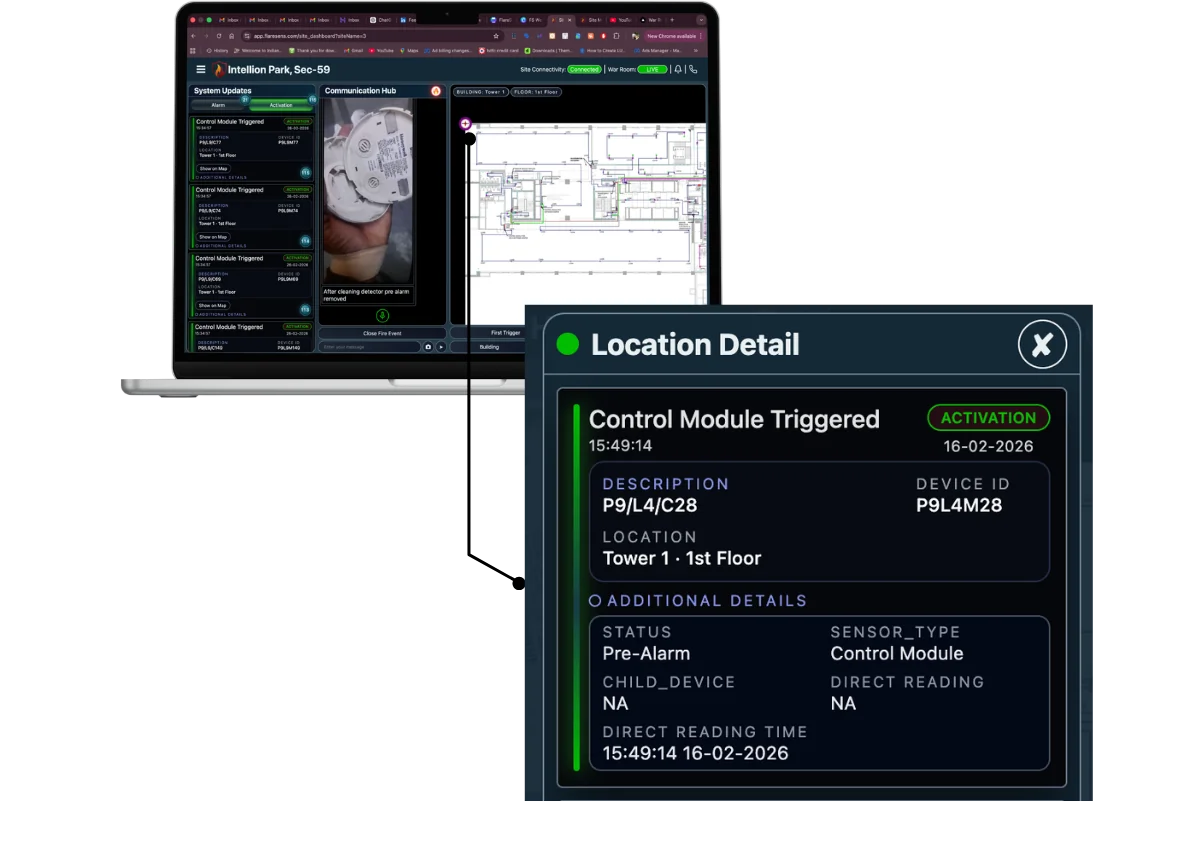
DUAL OPERATING MODES
Run mock drills. Measure your team. Improve every cycle.
Put your site into maintenance mode and run mock drills that test your entire response chain. Analyse site and team performance in real time — response times, positioning, acknowledgement rates. Fire Event Window latches the state for stable incident command. Maintenance Window shows live system health.
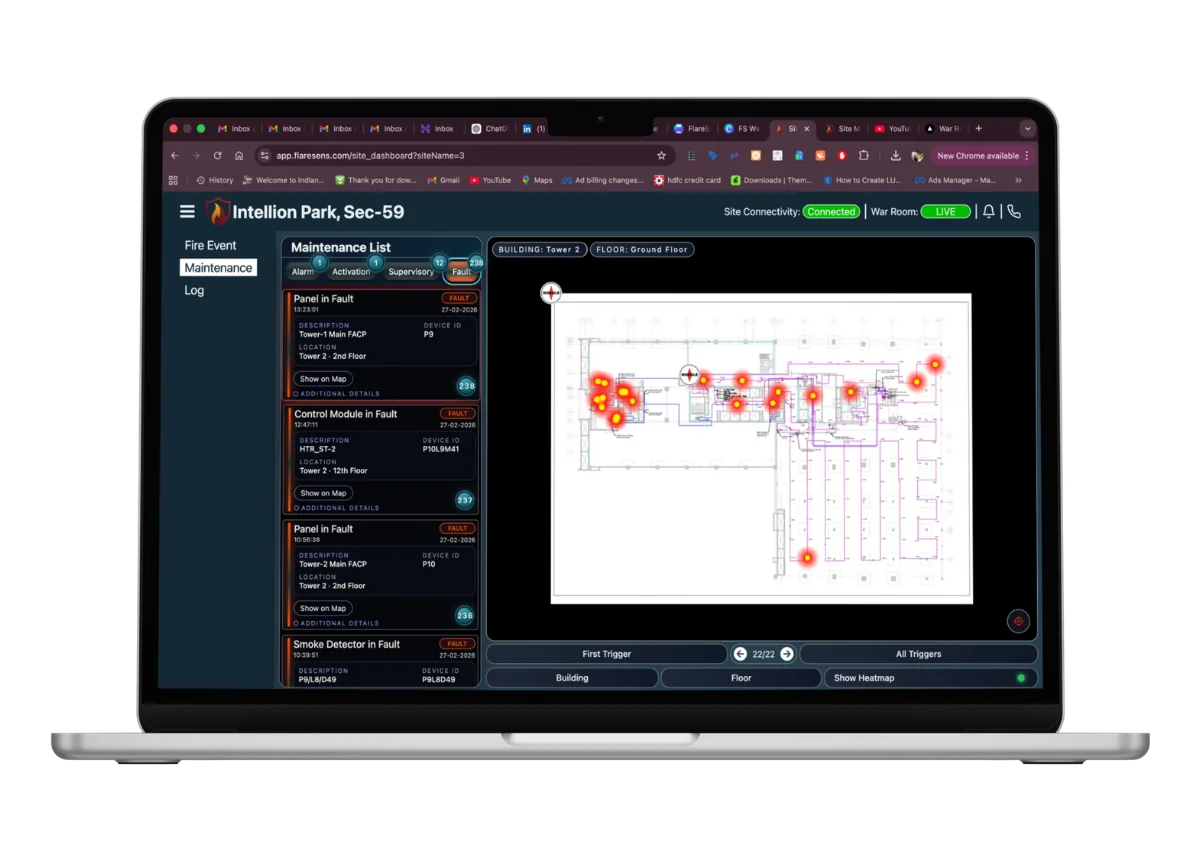
MAINTENANCE INTELLIGENCE
Track every fault. Hold your AMC vendor accountable.
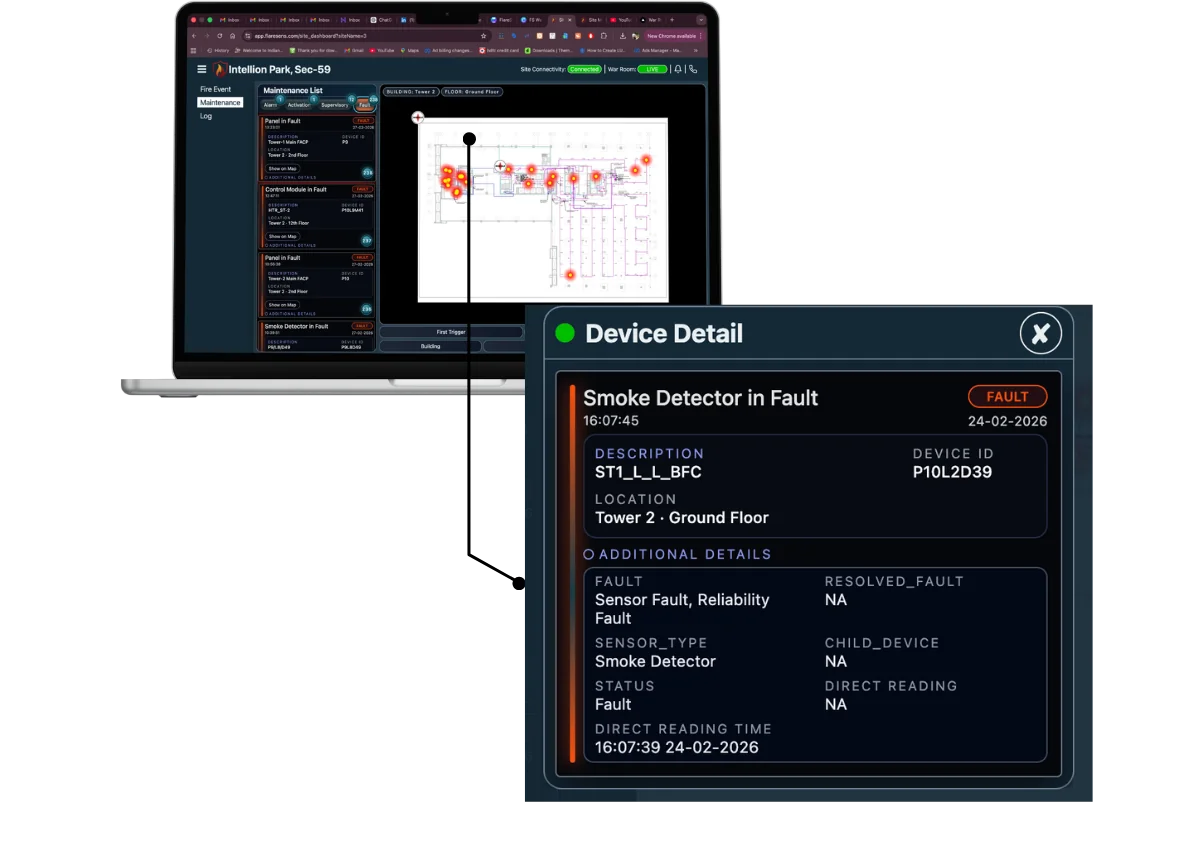
See real-time faults, supervisory signals, and activations in the Maintenance Window. When your AMC vendor visits, track exactly which faults they resolved — and which they didn’t. Pull up the live dashboard and show them: "These 14 faults are still open." No more ambiguity about maintenance quality.
EMERGENCY CREW CALL
Emergency services and your fire crew. One click.
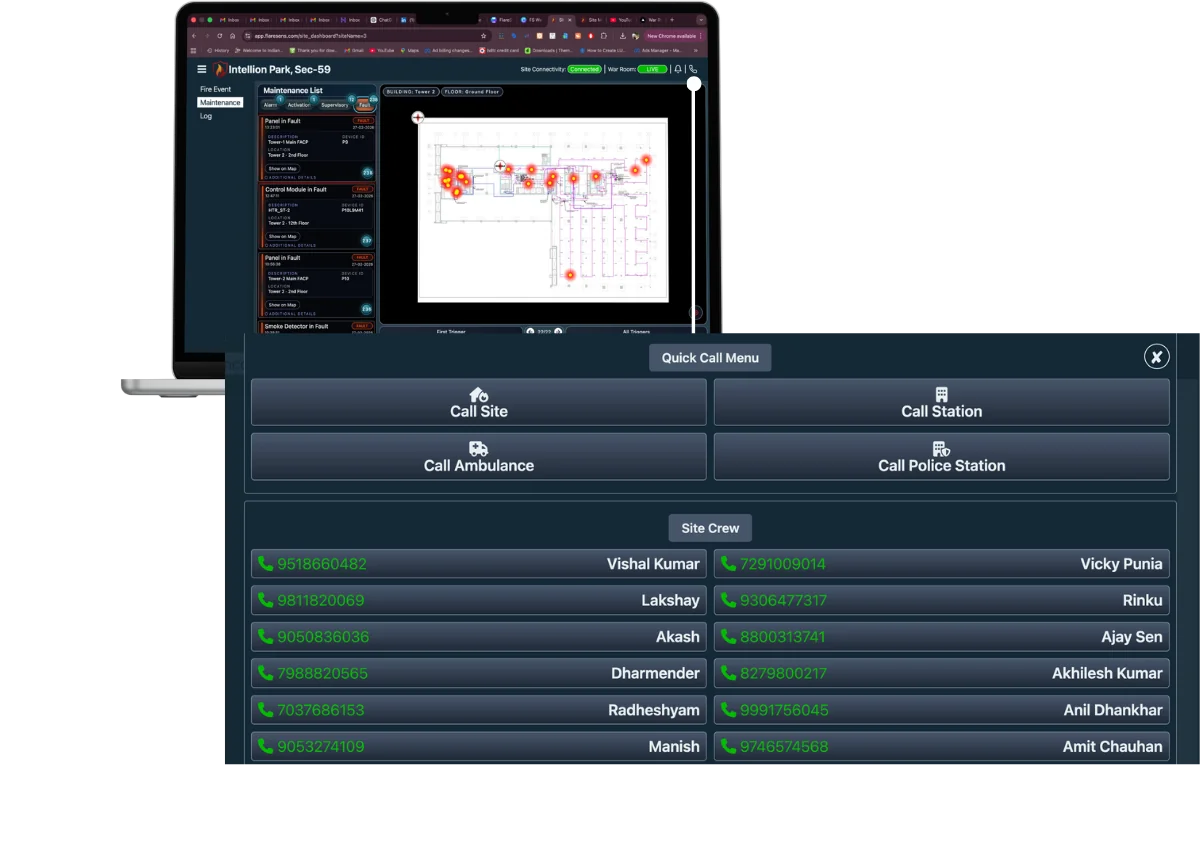
One tap calls emergency services and triggers instant notifications to your entire fire response team. See real-time crew status — who’s logged in, who’s active, who has acknowledged, who hasn’t responded. ACK or NACK, updated in real time. You know exactly where your team stands before the first engine arrives.
TEAM ACCOUNTABILITY
See who responded first — and who didn’t respond at all.
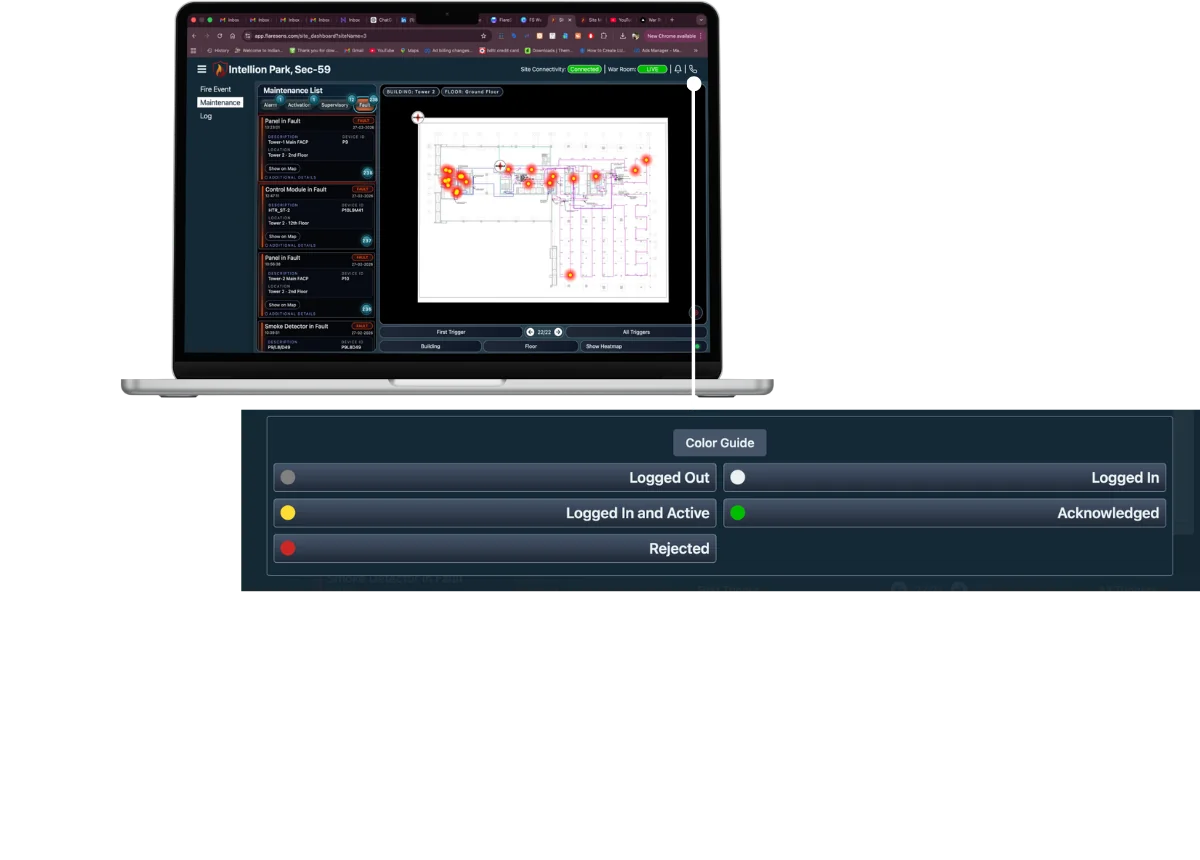
During an active event, track exactly who was the first responder, who rejected the event, and who hasn’t even seen it yet. Know whether your crew is positioned at their designated stations. After the event, this data tells you who was working actively — and who wasn’t where they should have been.
BUILT-IN COMMUNICATION
Talk to your team without switching apps.
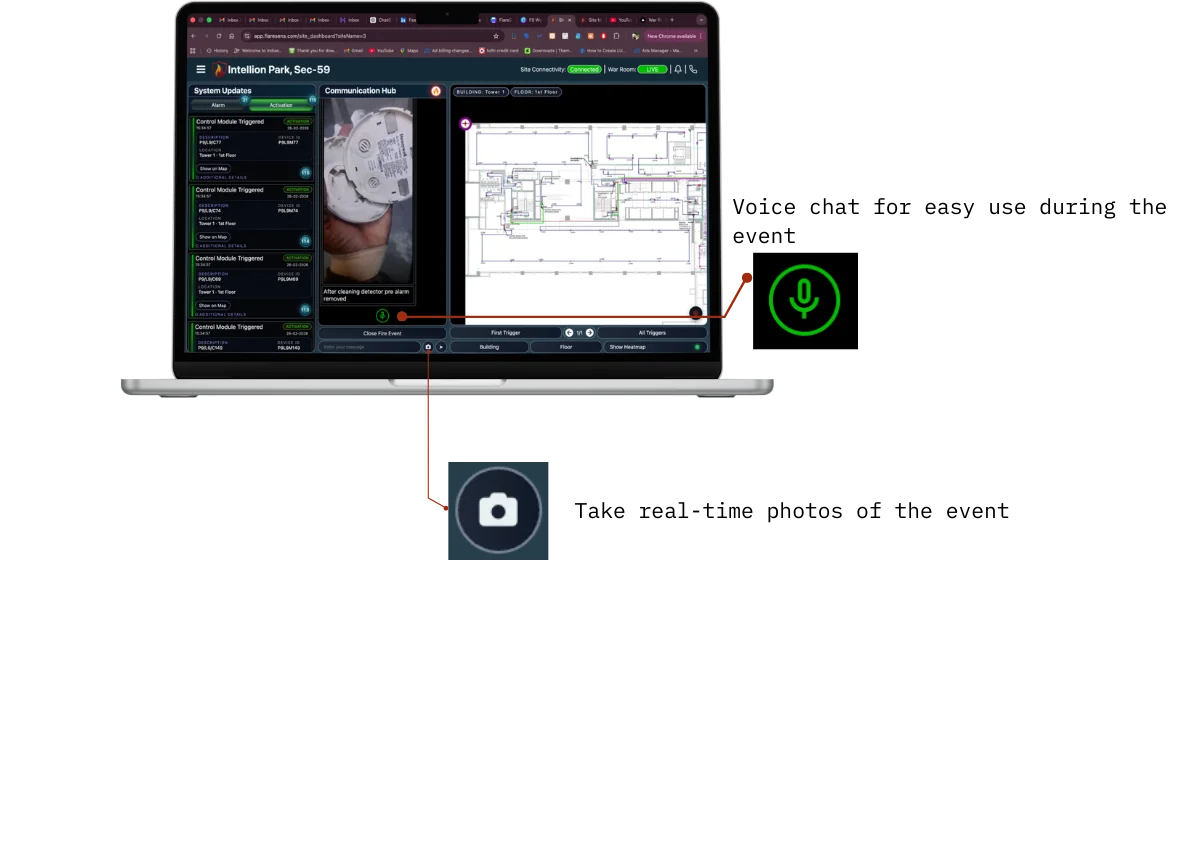
The Communication Hub is built into the War Room. Field updates, status messages, and coordination — all in one feed, all timestamped, all part of the event record. No WhatsApp groups. No missed messages. One communication stream for the entire event.
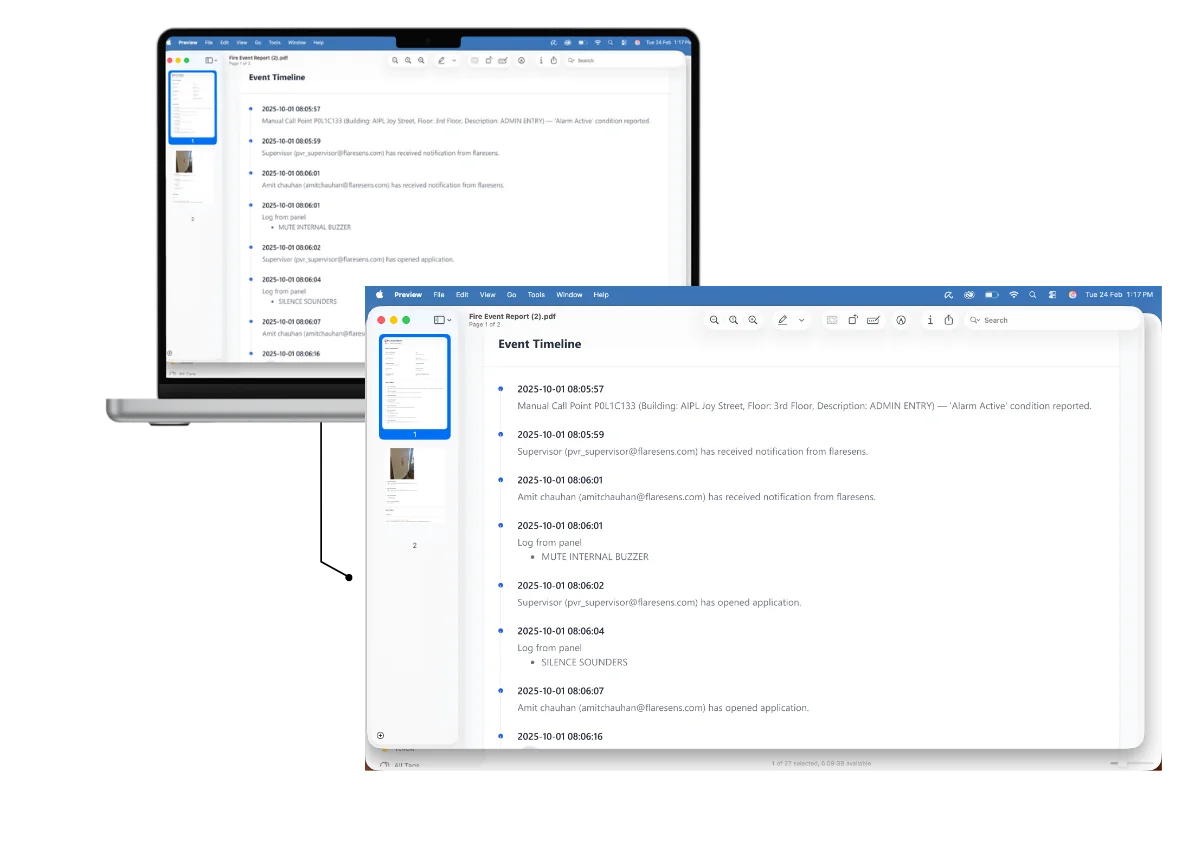
EVENT TIMELINE
Every second documented. Every action recorded.
The War Room logs every event, acknowledgement, communication, and action into a chronological timeline. When the fire officer asks "what happened at 2:47 AM?" you have the complete record. Three years of retention — for audits, insurance claims, and continuous improvement.
War Room Capabilities
Best For
Buildings with a fire security head who needs to coordinate response — not just receive alerts.
Large facilities, campuses with dedicated safety teams, industrial sites, hospitals, and any building where fire response is coordinated from a central point.
EXPLORE MORE
Other services that work with this.
See what incident command looks like on FlareSens.
Book a 20-minute demo. We'll walk through a live War Room on a real site.
Or reach out at enquiry@flaresens.in